Koo Integration with KWallet
Quick summary
Koo can use KDE’s KWallet to store credentials and form data centrally. With PyKDE installed, the integration should work without configuration; if needed, it can be enabled in `~/.koorc`, with an option to ask for confirmation before saving a password.
Contents
Another Koo 5.0.5 feature for users running Koo under the KDE desktop: Koo can now use KDE’s KWallet manager to store passwords and form data centrally and securely.
KWallet support should work without configuration when PyKDE is installed. If it does not, check that ~/.koorc contains:
[kde]
wallet = yes
enabled = True
Optionally, set wallet = ask, and Koo will ask before saving the password.
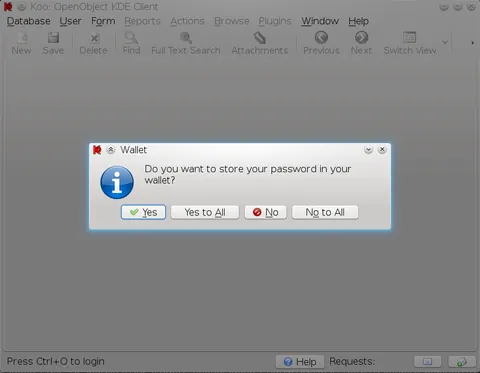
Koo stores the username and password for each server and database and suggests them in the initial login dialog.
Koo works on Windows, GNOME and other platforms, while giving KDE users additional integration.
Frequently asked questions
What is KWallet, and how does Koo use it?
KWallet is KDE’s wallet manager. Koo uses it to store the username, password and form data for each server and database in one central and secure place.
What must be installed for the KWallet integration to work?
PyKDE must be installed. In that case, KWallet support should be available without additional configuration.
What can I check if Koo does not use KWallet?
Check that ~/.koorc contains [kde], wallet = yes and enabled = True. You can also set wallet = ask so that Koo asks before saving the password.