ERP implementation without surprises
We study how your company works, adapt the ERP to your reality, and train the team so the system runs securely from day one.
Implementation means understanding before configuring.
Implementing an ERP is not just about putting a tool into operation. It's about understanding processes, setting priorities, adapting the system, and preparing the people who will use it every day.
We analyze how the company operates, identify real needs, and prioritize the project so that every technical decision makes functional sense.
Step-by-step implementation
We work in phases so that every decision makes sense, each change is manageable, and the ERP reflects the company’s actual way of working.
We study
We listen, review processes, identify needs, and prioritize goals before touching any configuration.
We Build
We adapt Tryton, we develop whatever is needed, we test the system, and we document how it works.
We train
We prepare users to understand the tool, practice safely, and work independently.
Functional and technical knowledge in one team
A good implementation requires understanding the business and mastering the technology.
At NaN-tic we know Tryton from the inside: we have designed and developed parts of the program and can tailor it to each company with technical and functional expertise.
Process Study
We share and organize company information with schemas and diagrams that help understand business processes.
Custom ERP
We adapt Tryton with technical and functional expertise to ensure the system fits the company’s real needs.
Test and documentation
After each adaptation, we test the system, review usability, and prepare customized documentation.
Prototypes and validation
When necessary, we create prototypes to better explain the system's structure and functionality before moving forward.
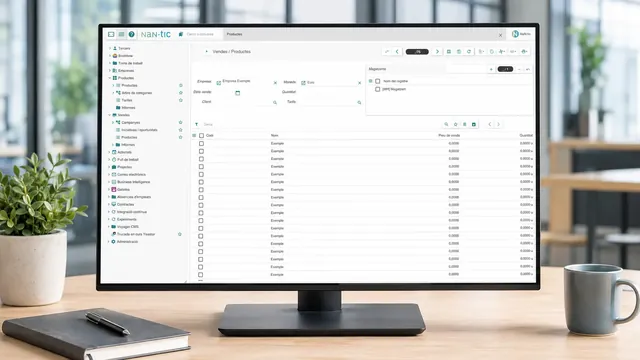
3. Training focused on daily work
Practice before working in real
We train teams to understand the ERP from the big picture to the specific tasks of each area. Training is customized and uses real-world examples relevant to the company.
Testing environment
Users can practice and test improvements without affecting the company's work ERP.
Training by Area
We explain the general operation of the ERP as well as the specific tasks of each department.
Custom manual
We document how the system works with materials tailored to the company’s way of working.
Fewer errors
Good training reduces incidents, support queries, and facilitates system adoption.

We start anew. We go far with small steps.
An implantation process never truly ends. Companies change and evolve, and management software must be able to grow at the same pace. That’s why we revisit changes, build new functionalities, and train users whenever the business needs it.