Have. Know. Be.
Albert Cervera i Areny
Hello,
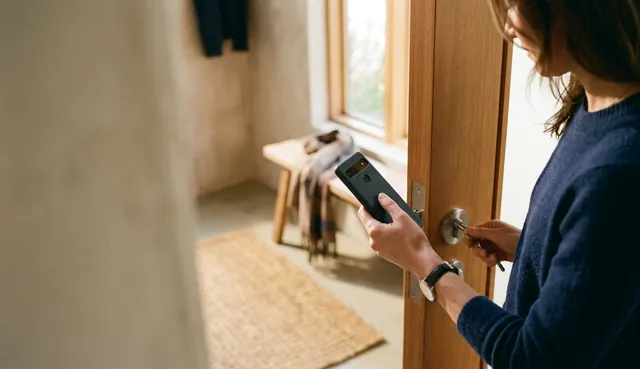
every day you get into your home thanks to the key you have.
Have
Having a key, in this case, is what allows you to get in.
Having to have a key has the advantage that if you want to let someone into your home, you only need to give them this object. At the same time, someone only needs to take your keys or steal your bag to get in.
After entering with the key, you may need to deactivate the alarm. You will probably need to know a code to do so.
Know
Knowing is what distinguishes who we want to be able to enter from those who should not.
If you use some kind of contactless key to deactivate the alarm, it is probably not the best idea, because stealing your bag would be enough to get both keys.
Notice, on the other hand, that if you use a security code, access is a little more complicated: someone would have to steal your bag and also obtain the code through some other means.
Knowing a password is what lets you access—or prevents you from accessing—many websites. It is also the system Tryton users usually rely on.
Be
Being, verified by a fingerprint or iris scan, for example, is another way to verify access to a property or system.
Each of these mechanisms—having, knowing, or being—has its advantages and disadvantages. That is why, for maximum security, it is best to combine two or (ideally) all three.
That is precisely what the WebAuthn protocol allows. And since a more secure way to authenticate users existed than the one we were using, we had no choice but to integrate this protocol into Tryton.
The new module we have created adds Have and Be to the password-based Know that we already use.
How does WebAuthn work when integrated with Tryton?
After entering their password, the user sees a screen like this:
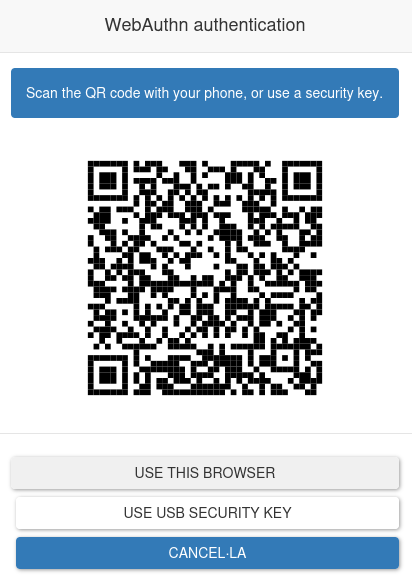
Scanning the QR code with a mobile phone opens a page like this:
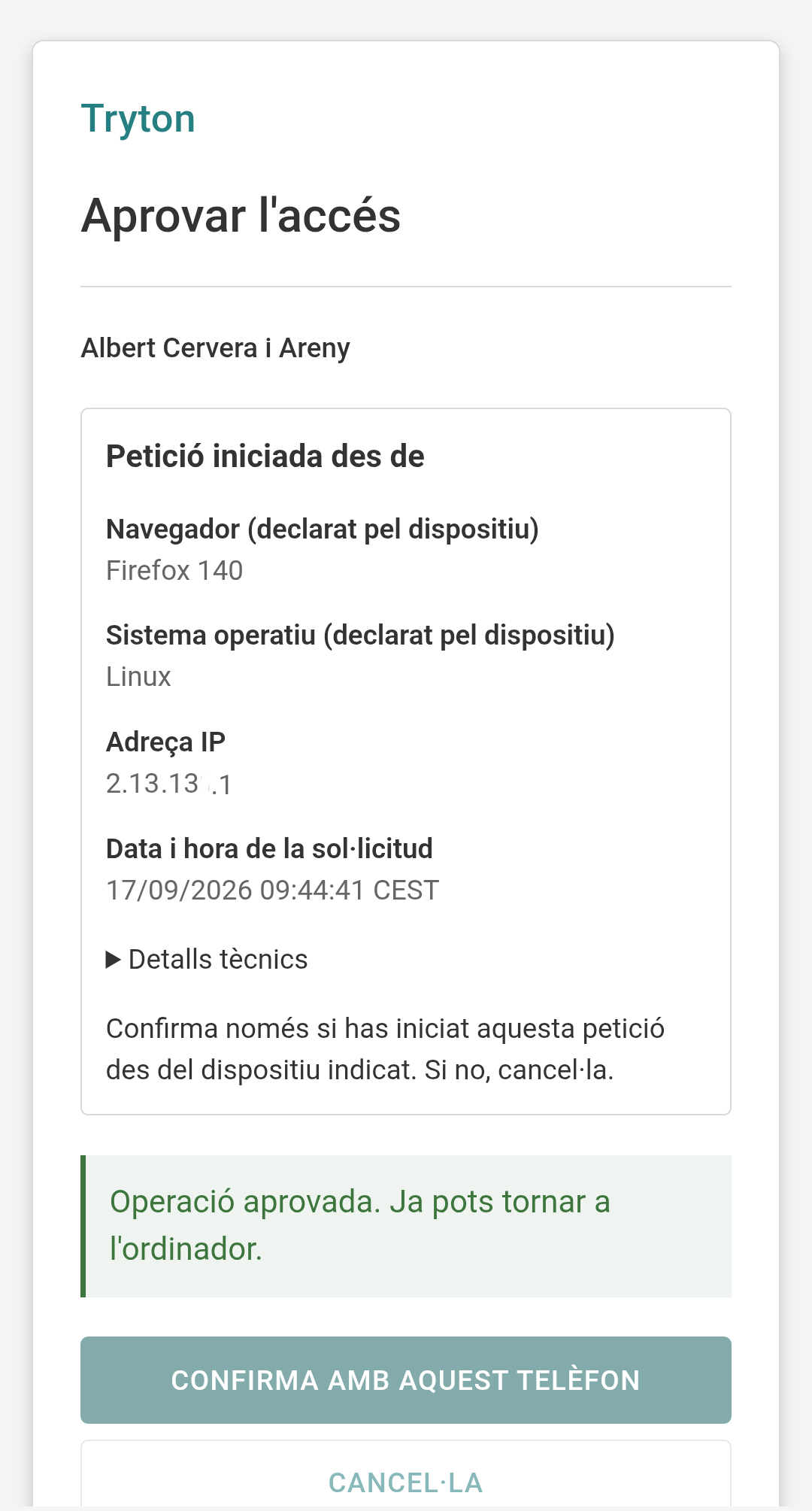
When the user taps the access button, the phone verifies them using a fingerprint or their face.
Therefore, anyone who wants to log in must know the password, have the phone, and be the right person.